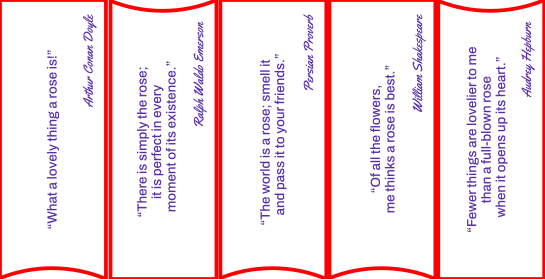
I last had tags, pockets & flaps as an art journaling theme quite some time ago (a decade!), so I decided it was time to circle back and use it for another layout. This month’s session used a pre-printed pocket and tag as colour inspiration, and we used several techniques to build the background. I did attempt to film the make, but I’m a bit out of practice, and we’re left with just stills for the tutorial – apologies…
This month’s theme of love and compassion draws on five verses that reflect God’s love for his world, and how we are instructed to show that same love to one another. From the Old Testament through to the New, that commitment threads its way through Scripture — a constant from the very beginning, and just as present today.
Here are five new illustrations inspired by those verses.
I’ve loosely used the theme of ‘strips & stripes’ for this month’s art journaling session at The Studio. I’ve plenty of stripes included, but the strip of ribbon and a strip of masking tape was as far as that side of things went once I had finished creating my layout. There was a great deal of prep for this layout… Each time I thought about what I was going to do, another idea came up and another bit of work to carry it off was needed. Happily, I have the kit to do the creating! Read on for a step-by-step making guide and some free downloads if you want to do exactly the same as I did.
I learnt a new skill at the end of last year – candlewick embroidery. Quorn Country Crafts were running a workshop, and it was something I’d not come across before, so I signed up with a friend. At monthly sessions from September to December, we whiled away several hours learning embroidery stitches with a patient tutor in Sue, and dutifully completed our homework. I took my second-ever embroidery panel with me on holiday, and it was the start of many conversations, not least as I was a male doing embroidery. Here’s the final result, finished earlier this month:
I’ve mentioned it in passing, but I will update you now about my latest acquisition. I’ve been experimenting with settings, materials and learning loads (and still learning) about my xTool F2 Ultra UV laser. It has been in The Studio for six weeks now, and I’ve really only just started production pieces.
The laser machine itself
The xTool F2 Ultra UV is somewhat confusingly named for those used to other xTool machines, but I assume it is because it shares the same chassis style and size as the F2 Ultra. It’s a 5W laser, so not particularly powerful, but still perfectly capable. The lower power also means less bulk and less cooling being needed, keeping it a desktop machine. It has a working bed size of around 200x200mm with a generous material height allowance. There’s an onboard camera to aid alignment. xTool provides an inner engraving lens and platform, and a small material pack for calibration and testing. Their Studio software is under constant development and walks you through the initial calibration step-by-step. The small LCD screen is a controller and gives you feedback about the machine activity and access to engrave files on a connected USB drive.
The UV bit?
A UV laser uses ultraviolet light at a very short wavelength (around 355 nm), which allows it to focus into an extremely fine spot. Instead of burning material, the energy breaks molecular bonds directly, removing or marking the surface with very little heat spread. UV engraving is often described as “cold lasering” — there’s minimal melting, charring or distortion compared to diode or CO₂ lasers. Machines like the xTool F2 Ultra UV are designed to take advantage of this, making them ideal for fine detail on glass, crystal, plastics and other sensitive materials where precision really matters. The frequency of the beam also allows a range of effects from ‘blast’ to ‘tickle’ (non-technical terms I have been using in my demos).
The difference that ‘cold lasering’ makes. On the left, my normal cut settings on the diode laser (F1U) – the cut was stopped due to flames… On the right, same file, same size, on the F2U-UV. The cuts were so fine that the cut-out bits stayed in place until I tapped the circle over the bin.Same principle on this test. The slits are the same width, with the leftmost being just 0.25mm wide. Note the burnt edges on the top piece have widened the cut width (kerf).More testing, trialling the different parameters that can be changed for each engraving. There’s a lot to learn, and experimenting is the only way to do it as every material behaves differently.
Same machine, same file, different pulse frequency: at the top, the tickle just darkens the surface MDF. At the bottom, the blast blows out the fibres, leaving an unburnt engraving.
And this test is a comparison between all four lasers, on leather. You can see the smudging and soot on the P2S (CO2 laser) and the infrared fiber laser. The diode (blue light) was darker until I wiped it, and the soot came off. The UV laser, on the other hand, had pin-sharp engraving and scoring, with no soot or smudging at all.
How small?!
One of the demo ‘show-offs’ I have been including for the UV laser is engraving or scoring text that is just 0.5mm high. I’ve needed to get out a magnifying glass to check out its legibility, and yup, it’s legible. Here’s an example – a coated cross pendant necklace. I have scored the whole of the Lord’s prayer at the top (single beam width lines). Bearing in mind the cross is just under 5cm/2″ tall, we’re getting into small territory. Zoom in on the Bible verse annotation and we’re now in teeny weeny category:
Another phenomenal aspect of the small beam size and no scorching is the detail in engravings. This is a 6cm diameter bauble engraved on light poplar plywood. I can’t tell you how good it is in person, and there’s just no cleanup to do. This saves time, though with the narrow diameter of the beam, a lot more lines per centimetre need to be engraved, increasing machine-time.
Same material, same machine, different settings…
Another learning point is to recognise that when the UV laser disrupts molecules, it can change the interaction based on the power of the beam. For example, this slate is engraved in one go, with the same machine, just with three different power and speed settings. The metallic gold is not added – it’s a reaction to a slow mid-power setting. The white is full power, mid-speed, and the grey is mid-power, fast speed.
The master of glass?
The marketing department over at xTool has branded the F@U-UV as ‘the master of glass’. Following my experience and that shared in the Facebook groups, the user needs to become the master of the master of glass. There are so many variables to take into account, and the learning curve is steep. Focus has to be spot on, and for the inner engraves in crystal blocks, the image processing, settings and setup need to be absolutely spot on. This aspect of the machine is definitely not plug-and-play. However, great things are possible once you’ve learnt the ropes.
Inner engraving in action – the special lens focuses, the laser fires and a micro-fracture creates the white dot at that location. Include that point in a cloud of points, and you start to form a 3D figure, or 2.5D photo conversion (such as the one I’ve done of Charlie). The inner engrave only works on a specific grade of glass: K9 crystal.There were test runs on glass, learning about focus, power, curved surfaces and when to use a rotary tool. The results are so much cleaner and shallower and finer than those I attempted on my other laser. The blue light/diode laser required the glass to be painted, and the fracturing was a reaction to heat – get it too hot and the frosting chips off, or the glass breaks. The UV laser also does engraving on glass baubles perfectly – I never did get the hang of those on the F1U.
What about the production items?
Ah, well, yes. Ahem. In my excitement to give them to recipients, I neglected to record them for posterity in photographic format. Note to self…
Demos and training
If you have happened across this post whilst researching the laser, I’m very happy to arrange a demo via the xTool Squad system via their website. Demos can happen online or in-person and if you go on to buy a machine, I will benefit from a small commission. I’m sorry, but I cannot afford to demo inner engraving due to the cost of the K9 crystals. If you bring your own, we’ll have a go.
Training or use of the laser is at my hourly rate, currently £35. I prefer to train in-person so I can see what you’re doing, but online is possible.
It’s a new year (I’m sure you’ve noticed) and what better way to start than some joy and praise in the form of this month’s Bible journaling theme. Five new illustrations for verses from Old and New Testaments, full of excitement, colour and metaphor. Keep scrolling to the link to download the templates if you would like to add any to your own Bible, and for making notes.
For the first session of the new year, we are using a requested theme: ‘sunbeams’. I took a little while to work out what I’d like to do, then did a bit of browsing for inspiration and came up with this layout:
Making notes
Colouring: tones, contrasts and media
I selected my blue Renesans watercolour paint to lay down a blue wash, dabbing with a paper towel for a background cloud effect. Once the sunbeam panel was in place, I added another layer of paint around the edges to add contrast. A very dilute wash of the same colour worked well on the clouds in the panel.
The sunbeams were coloured using a blend of yellows, oranges, and reds, with small touches of chartreuse, magenta, and purple for added contrast. I worked with Winsor & Newton Aquamarkers on watercolour card, blending the ink using a clean water brush.
For the text, I used the same colours on the background card. Using scored lines (see below), I was able to place the colours precisely – multicoloured on the top three lines of text and the yellows for the ‘sun beams’ line. The original quote separated the ‘sun’ and ‘beams’ rather than using the more common compound word, so that’s what got cut out. I’ll triple check next time…
Illustration & text designs
Both illustration and text were created digitally in Adobe Illustrator. I experimented with several techniques to make the outlines and tabs needed to prevent the pieces from falling out during laser cutting. My initial attempt (as pictured) turned out to have too many and too tough tabs. It was difficult to break apart the pieces to stick down to the page. My next iteration had wider ‘spokes’, fewer pieces and thinner tabs and worked much better (and took less time to glue in).
For the text, there are two panels: a base panel with a scored offset outline of the text (for colouring in) and then a top panel with the text cut out using a stencil font. Once the base is coloured and dry, the top can be stuck to it for a crisp finish.
Cutting out the designs
I used my new xTool F2 Ultra UV laser to cut the watercolour paper. The UV laser doesn’t cut by burning so much as wobbling the molecular structure of the paper apart (so-called cold lasering). This meant I could cut the 300gsm paper with very little char on the edges and with much greater detail than my other laser options.
Embellishment experiments and learning points
I attempted to use UV resin to add a glossy emboss to the coloured letters, by filling in the cutout areas. Unfortunately, before I hardened off the resin, it started soaking into the surrounding paper, turning it grey and ruining the contrast and crisp white overlay. I got around this by adding a second cutout layer over the top. I’m not sure what I could do to prevent this, but perhaps using a matte multimedium to seal the paper may work. I thought about using a waterbased dimensional gloss medium, but I reckon it would rewet and move the watercolour paint around (which I didn’t want to happen).
Next month
My art journaling sessions run at The Studio on the first Monday evening of each month, starting at 7:30pm. Spaces are limited, so let me know if you’d like to attend and I’ll get you booked in. You don’t need to be artistic, or even have a journal – one can be purchased on the night for just £2. The session remains at just £5 to attend, and all the materials are included. The theme is ‘strips and stripes’, postponed from October, and will feature distress inks, distress oxides, a dress, floorboards and a bit of rubber stamping too.
This month’s ‘hope and promise’ Bible journaling theme felt particularly apt for Advent. The verses follow a thread of expectation and fulfilment, and I’ve carried that through the illustrations with a shared palette and gentle contrasts of light and dark. I’ve tried to avoid the usual seasonal motifs, though a few still crept in…
In this, the last session of the year, it seemed appropriate to take on a Christmas theme. In common with previous December layouts, I’ve chosen some shiny finishes to bring a bit of light into the dark moments. There are several new techniques that I have tried for the first time: foil-on-toner, cut and design stickers and a laser-engraved piece of MDF. Here’s my take on a Christmas porch:
This month, we’re looking at verses related to strength and courage. I was lucky enough to have created the initial ideas on the seventeenth deck of a cruise ship in force 10 gales and 6 metre swell. It wasn’t pleasant, and gave an insight into having strength and courage! Of course, that pales into insignificance compared to the sort of strength and courage we are provided with by our trust in God. Here are five new illustrations for your Bible journaling. Don’t forget there is a free downloadable PDF link at the bottom of the post for you to print and include in your Bible.